
Reson
$39USD
Dynamic resonance suppression.
View downloads → 한국어
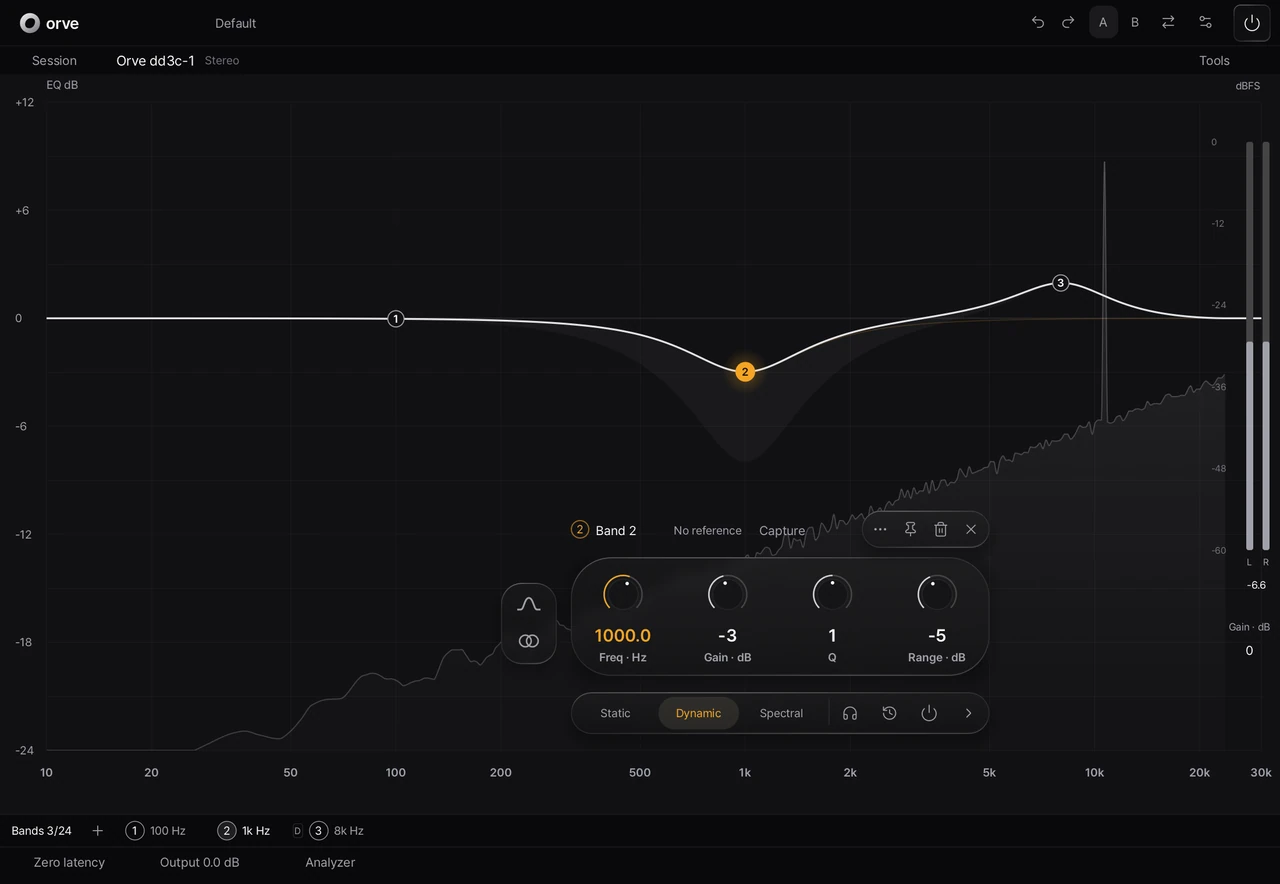


Shape the spectrum with up to 24 bands. Keep controls close to the curve, choose Static, Dynamic or Spectral processing, and compare before you commit.
AU · VST3 · CLAP for macOS. Product access and installers are managed in your account.
Precision equalization, up to 24 bands.
Keep the band editor close to your work.
Static. Dynamic. Spectral.
Orve · Louis
Keep the band editor close to your work.
Static. Dynamic. Spectral.
Product interface with synthetic audio · No audio playback.
01 / BAND CONTROL
Place a band, then refine frequency, gain and Q in its floating editor. Use bell, shelves, cuts and other filter types, with L/R and M/S routing choices.
02 / PROCESSING CHOICES
Keep a static response, let a band follow the signal level, or choose spectral processing. Phase and quality options give you control over the processing path.
Linear phase settings can add substantial latency. Choose quality and phase settings to suit the session.
03 / COMPARE AND REFINE
Capture a reference and review the suggested response before applying changes.
Compare two settings as you refine the balance.
Work with other Orve instances while keeping individual band controls close to the response.
DOWNLOAD
Sign in with Google to check your Orve access, license period and available installers.
Invitation beta · One computer per product · 14 days from first activation · No grace period.
COMPATIBILITY
| Format | Host |
|---|---|
| AU | Logic Pro / AU hosts |
| VST3 | VST3 hosts |
| CLAP | CLAP hosts |
Check the installer’s requirements for the exact macOS, architecture and host configuration. A supported format does not guarantee every host version.
SUPPORT
Manage your product access and license in your Louis account.
Go to your account →Sign in with Google and download the installer. Each product offers a 7-day full-feature trial on one computer from its first activation. No card or automatic charge. Reinstalling does not restart the period.
AU, VST3 and CLAP on macOS. Windows, iPad, VST2, AAX and other vendors’ project formats are not supported.
The current meters report RMS and sample peak. They do not measure LUFS or True Peak.
YOURS TO KEEP
One-time purchase. No subscription. A 7-day full-feature trial is coming soon. Check your account for current access.
$39USD
Dynamic resonance suppression.
View downloads →$49USD
Precision equalization.
View downloads →$69USD
Both products. One purchase.
View downloads →No card required for the trial. No automatic charge. One computer per product. Applicable taxes are shown at checkout.
Purchasing is not open yet.