LOUIS
Audio tools for your mix.
Meet Reson and Orve. Focus on resonances, or shape the spectrum your way.
Two tools. A closer look.
See the interfaces in motion. Switch between Reson and Orve without leaving this page.
Focus on harsh resonances. Shape the processing by frequency, then listen in the mix.
Focus on
your sound.
Dynamic resonance suppression.
Move the focus.
Shape the response.
Frequency. Amount. Width.
Listen.
Review.
Apply.
Learn from a continuous passage of your audio.
Find the balance.
Reson · Louis
Focus on
your sound.
Native preview recording with synthetic audio · No audio playback.
CHOOSE YOUR FOCUS
What does your mix need?
Tame resonances with Reson. Shape the response with Orve. Use either tool on its own, or work with both.
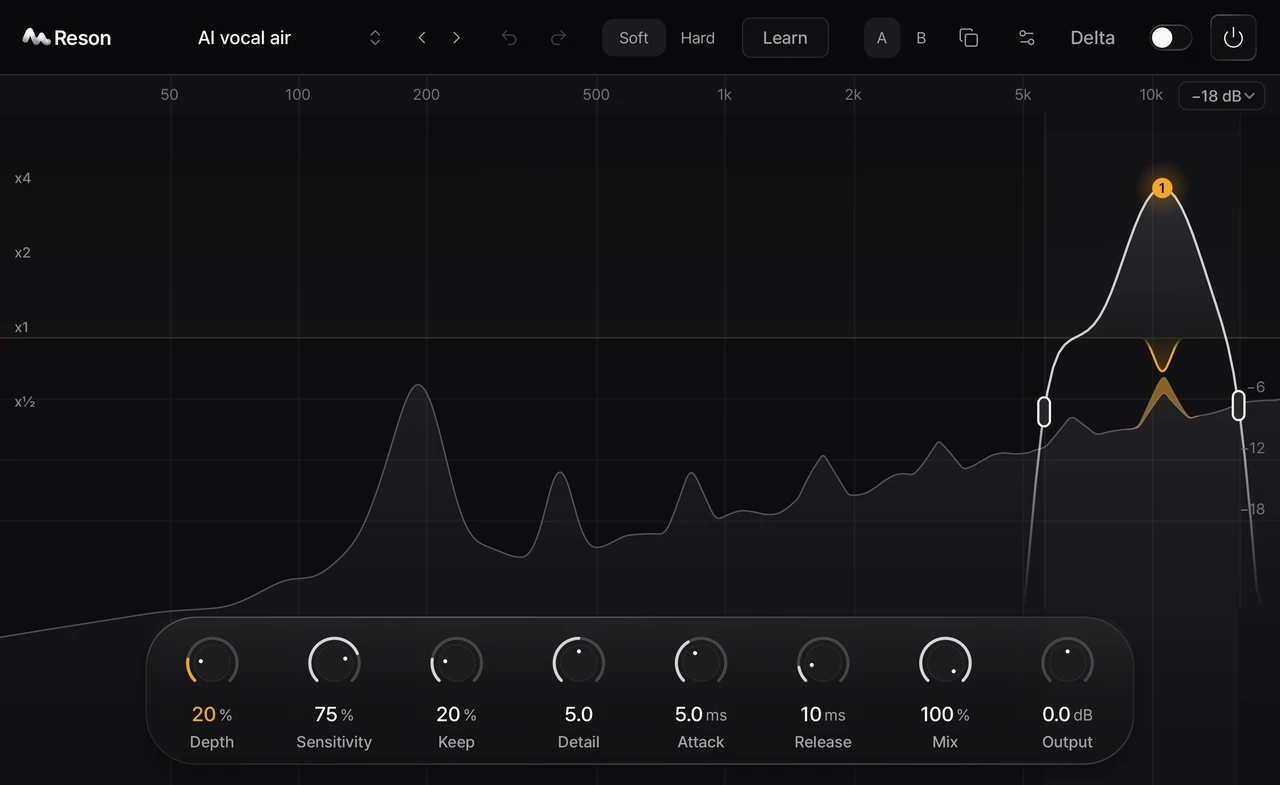
Dynamic resonance suppressor
Focus on harsh resonances. Shape the processing by frequency, then listen in the mix.
- Frequency-dependent resonance suppression
- Learn from a continuous audio passage
- Listen to the removed signal with Delta
Product interface · Synthetic audio visualization.
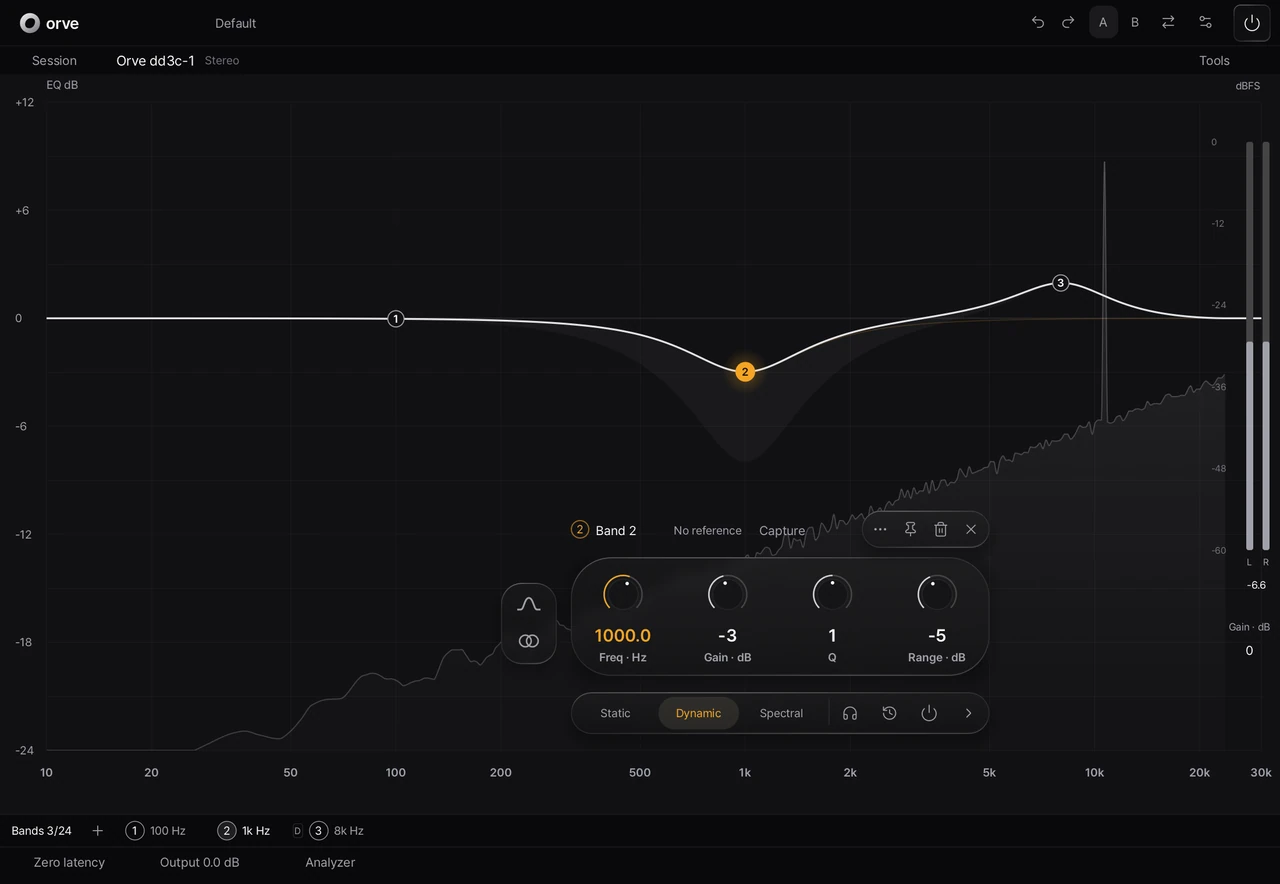
Precision equalizer
Shape your sound with 24 bands, Dynamic and Spectral processing, and phase options.
- Up to 24 bands with L/R and M/S choices
- Static, Dynamic and Spectral processing
- EQ Match and phase options
Product interface · Synthetic audio visualization.
Before you press play.
How are Reson and Orve different?
Reson responds to resonances across the spectrum. Orve lets you define the response with individual EQ bands, dynamic processing and phase choices.
Which plug-in formats are supported?
Both products support AU, VST3 and CLAP on macOS. Check each product page for its processing options and compatibility details.
How do I access my downloads?
Sign in with Google to check your product access and available downloads. Your account shows the access period for each product.
One Louis account.
Manage Reson and Orve in one account. Check your product access, license period and downloads.
Go to your account →YOURS TO KEEP
Find your balance.
One-time purchase. No subscription. A 7-day full-feature trial is coming soon. Check your account for current access.
No card required for the trial. No automatic charge. One computer per product. Applicable taxes are shown at checkout.
Purchasing is not open yet.