
Reson
$39USD
Dynamic resonance suppression.
View downloads → 한국어
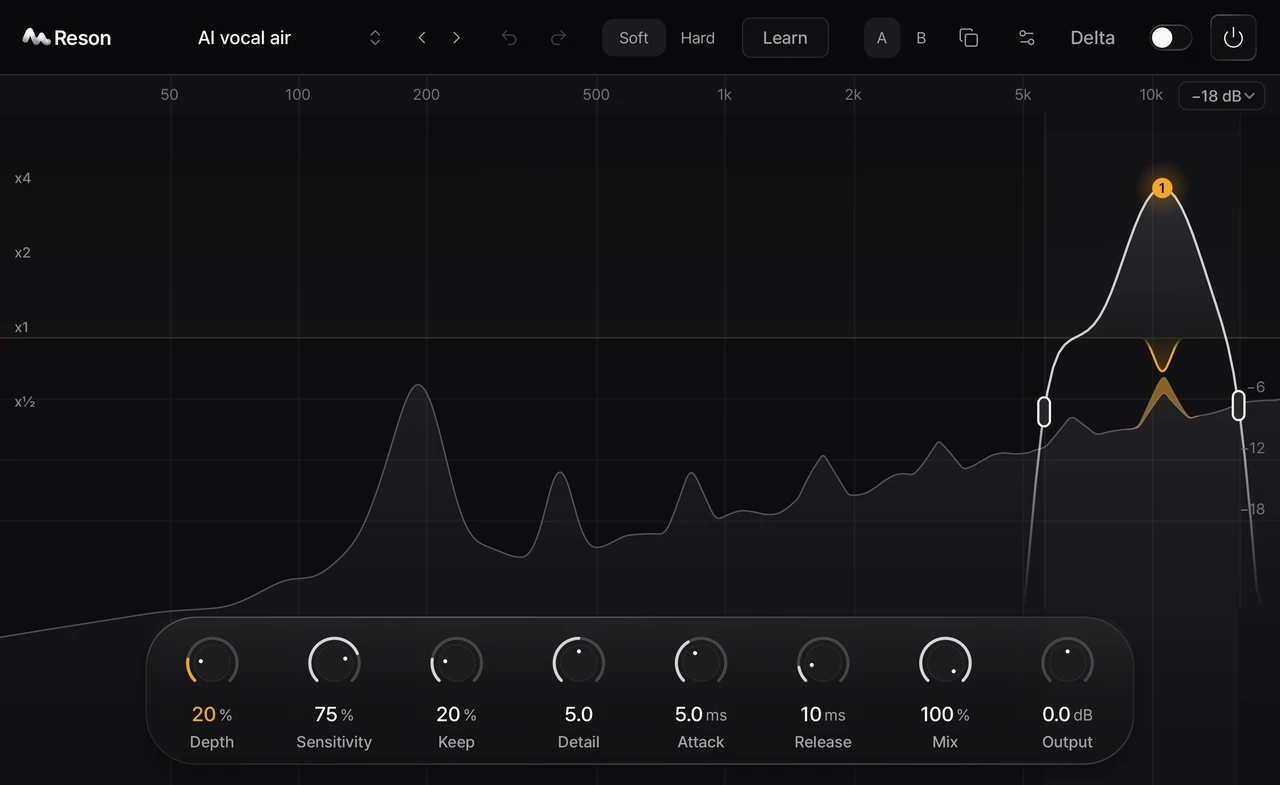

Control the resonances that draw attention away from your sound. Reson responds by frequency, with a focus you can shape and a Learn workflow you can review before applying.
In development. Public beta and sales have not started.
Dynamic resonance suppression.
Frequency. Amount. Width.
Learn from a continuous passage of your audio.
Reson · Louis
Frequency. Amount. Width.
Learn from a continuous passage of your audio.
Native preview recording with synthetic audio · No audio playback.

01 / FREQUENCY FOCUS
Place a band where you want to focus the processing. Adjust its shape, frequency, amount and width directly on the response.
02 / LEARN
Analyze a passage. Review the result. Apply when ready.
Play the passage through Reson.

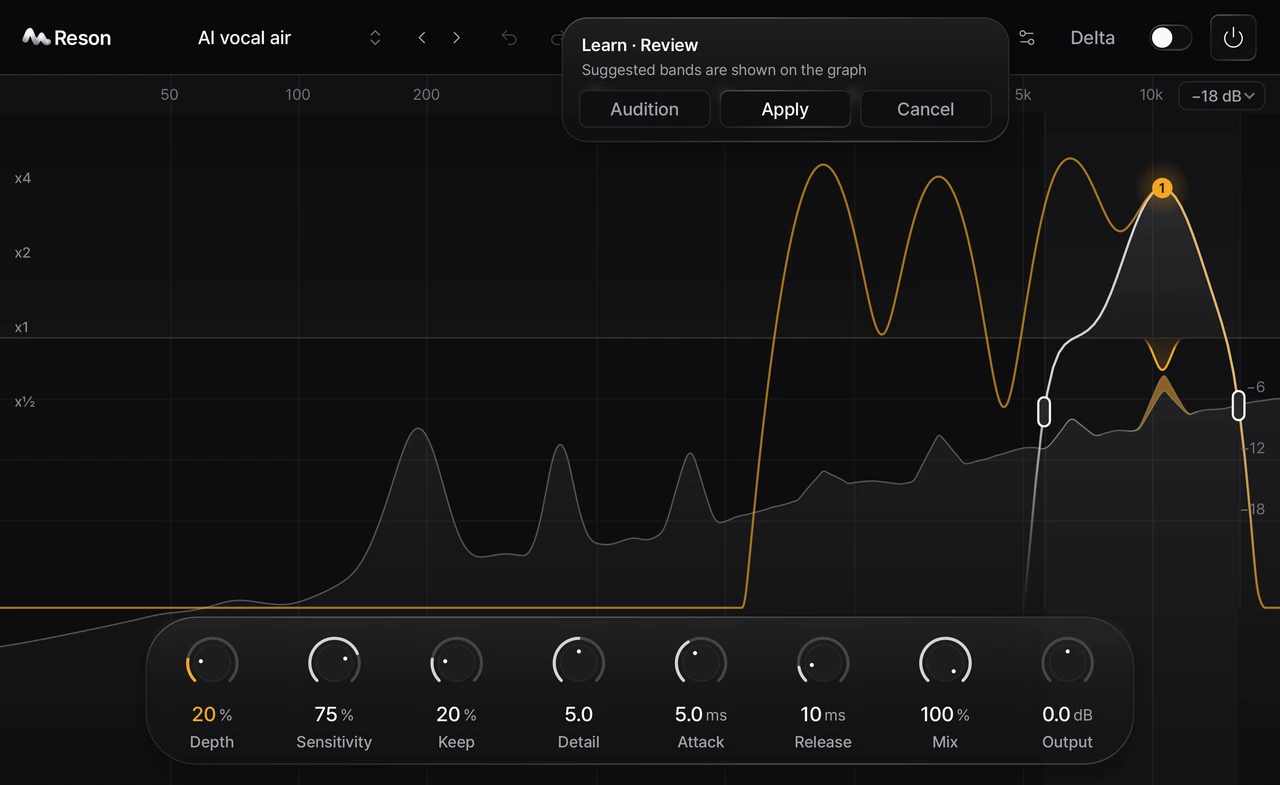

Learn follows the analyzed passage over time.
INSIDE RESON
Explore the interface in Dark, Light and Mono.
AUDIO DEMO · COMING LATER
Compare the same passage at matched levels.
Before-and-after audio is in preparation.
BETA & DOWNLOADS
Public build in preparation
Sign in with Google to check your product access and available macOS downloads.
Planned one-time prices: Reson $39, Orve $49, both $69 USD. Purchasing is not open yet. Your account shows your current access period.
View your product access, license period and downloads in your Louis account. A new 7-day trial is coming soon.
No automatic charge after the trial.
Review compatibility status ↓COMPATIBILITY
Tested systems will be listed with the public release.
| Format | Host type | Release validation |
|---|---|---|
| AU | Logic Pro and AU hosts | Unverified |
| VST3 | VST3 hosts | Unverified |
| CLAP | CLAP hosts | Unverified |
Minimum macOS, Apple Silicon / Intel, DAW versions and native / Rosetta operation have not been verified for a public release. Windows and Linux availability has not been announced.
SUPPORT
When contacting support, include your Reson version, macOS, CPU, DAW version and plug-in format.
Support contact details will be available before the public beta starts.
INSTALLATION GUIDE
This is the planned macOS package flow. Installation and upgrade testing of the public release is still pending.
Match your macOS, CPU and DAW to the verified release table. Download only the published package and compare its SHA256 with the release details.
Save your DAW work first. The planned .pkg installs AU, VST3 and CLAP to the system plug-in folders and requires administrator permission. Follow the formats listed for that release.
Use your DAW’s plug-in scan. In Logic Pro, use the AU version. If needed, use Plug-in Manager → Reset & Rescan Selection. Reload the plug-in when your project is safe.
Older development copies in your user Library can cause duplicates. Check both locations before removing anything. Keep your presets and project backups.
Do not disable macOS security or remove quarantine flags. Check the package source, version and published checksum. Record the exact warning and contact support when the public channel opens.
Check the exact supported OS, CPU, DAW and format for the release, then the installation location and scan results. Logic Pro uses AU. A VST3 or CLAP build alone will not appear as an AU.
An automatic updater is not implemented. Verified replacement downloads and release notes are planned here. Removal instructions will be finalized after package testing; preserve your user presets and project backups.
YOURS TO KEEP
One-time purchase. No subscription. A 7-day full-feature trial is coming soon. Check your account for current access.
$39USD
Dynamic resonance suppression.
View downloads →
$49USD
Precision equalization.
View downloads →$69USD
Both products. One purchase.
View downloads →No card required for the trial. No automatic charge. One computer per product. Applicable taxes are shown at checkout.
Purchasing is not open yet.